Backtesting
Backtesting lets you run a strategy against historical price data to see how it would have performed in the past. It's the fastest way to validate your trading logic before risking any money.
Running a backtest
- Open the Backtesting panel in the right sidebar
- Click New Backtest
- Configure the backtest:
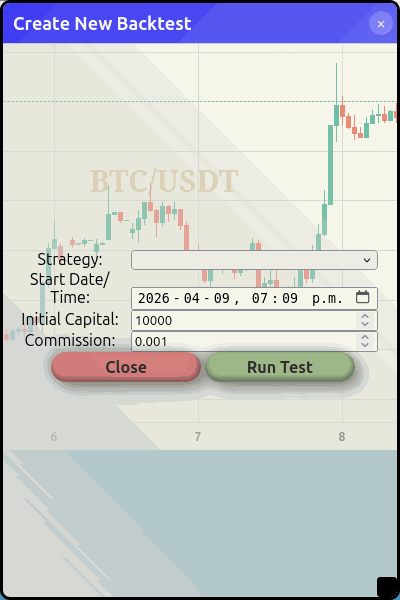 Set your strategy, date range, starting capital, and commission rate
- Strategy — Select which strategy to test
- Start date — How far back to test from
- Initial capital — Starting balance (default: $10,000)
- Commission — Trading fee percentage (default: 0.1%)
- Click Run Test
The backtest runs your strategy tick-by-tick through the historical data. Depending on the timeframe and date range, this can take a few seconds to a minute.
Interpreting results
After the backtest completes, you'll see:
- Total return — How much your initial capital grew (or shrank)
- Trade list — Every trade the strategy made, with entry/exit prices and P/L
- Equity curve — A chart showing how your portfolio value changed over time
Tips for better backtests
warning
Past performance does not predict future results. A backtest shows what would have happened, not what will happen. Always paper trade before going live.
- Test across different market conditions — A strategy that works in a bull market may fail in a sideways or bear market. Test across different date ranges.
- Watch for overfitting — If your strategy has many parameters tuned to a specific period, it may not generalise well. Keep it simple.
- Account for commission — The default 0.1% commission is typical for major exchanges. Adjust if your exchange charges differently.
- Check the trade count — A strategy that made 3 trades over a year isn't enough data to be confident. Look for strategies with a meaningful number of trades.