Platform Overview
The main app lives at /app. This page is where everything happens — charting, strategy building, backtesting, and trading.
Layout
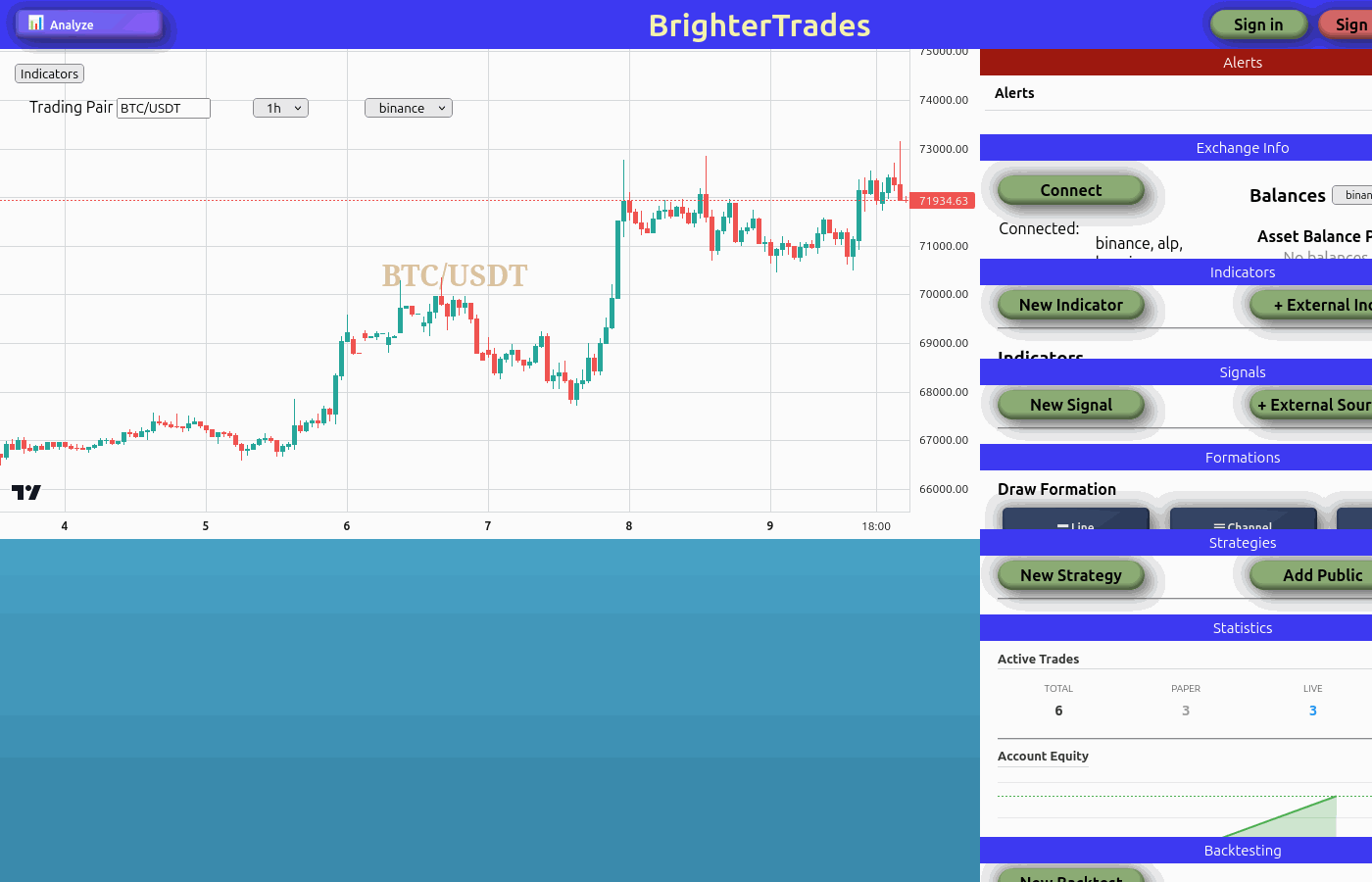 The main trading platform — chart in the centre, controls above, feature panels on the right
The interface is split into three areas:
Header
Across the top you'll find:
- App name — Click to return to the welcome page
- Analyze button — Opens the analysis tools
- Help button — Opens the help chat panel for AI-assisted support, documentation, and support tickets
- User controls — Sign in/out and your user avatar
Chart area
The centre of the screen is a live candlestick chart powered by TradingView's lightweight charts library. Price data streams in real-time via WebSocket, so candles update as trades happen on the exchange.
Above the chart are the chart controls:
- Trading Pair — A searchable dropdown to pick any pair available on the selected exchange (e.g. BTC/USDT, ETH/USDT, STORJ/USDT)
- Timeframe — Choose from 1m, 3m, 5m, 15m, 30m, 1h, 2h, 4h, 6h, 8h, 12h, 1d, 1w, or 1M
- Exchange — Switch between 15+ supported exchanges including Binance, KuCoin, Coinbase, Bybit, OKX, and more
- Indicators — Overlay button to toggle indicator visibility on the chart
Right sidebar
The sidebar contains collapsible panels for every feature on the platform. Click a panel header to expand or collapse it:
| Panel | What it does |
|---|---|
| Alerts | View and manage price alerts. Clear all with one click. |
| Exchange Info | See connected exchanges, configured API keys, account balances, active trades, and open orders |
| Indicators | Add technical indicators to the chart (SMA, RSI, MACD, Bollinger Bands, and many more) |
| Signals | Create reusable conditions that combine indicators — the building blocks for strategies |
| Formations | Draw lines, channels, and Fibonacci retracements directly on the chart |
| Strategies | Build, manage, and run trading strategies using the visual Blockly editor |
| Statistics | Track active trades, P/L, account equity, trade history, and running strategies |
| Backtesting | Test strategies against historical data before risking real funds |
| Trade | Place manual orders — spot, margin, or futures — without needing a strategy |
Each of these panels has its own detailed guide in this documentation. Click the links in the sidebar to learn more about each one.